Overview
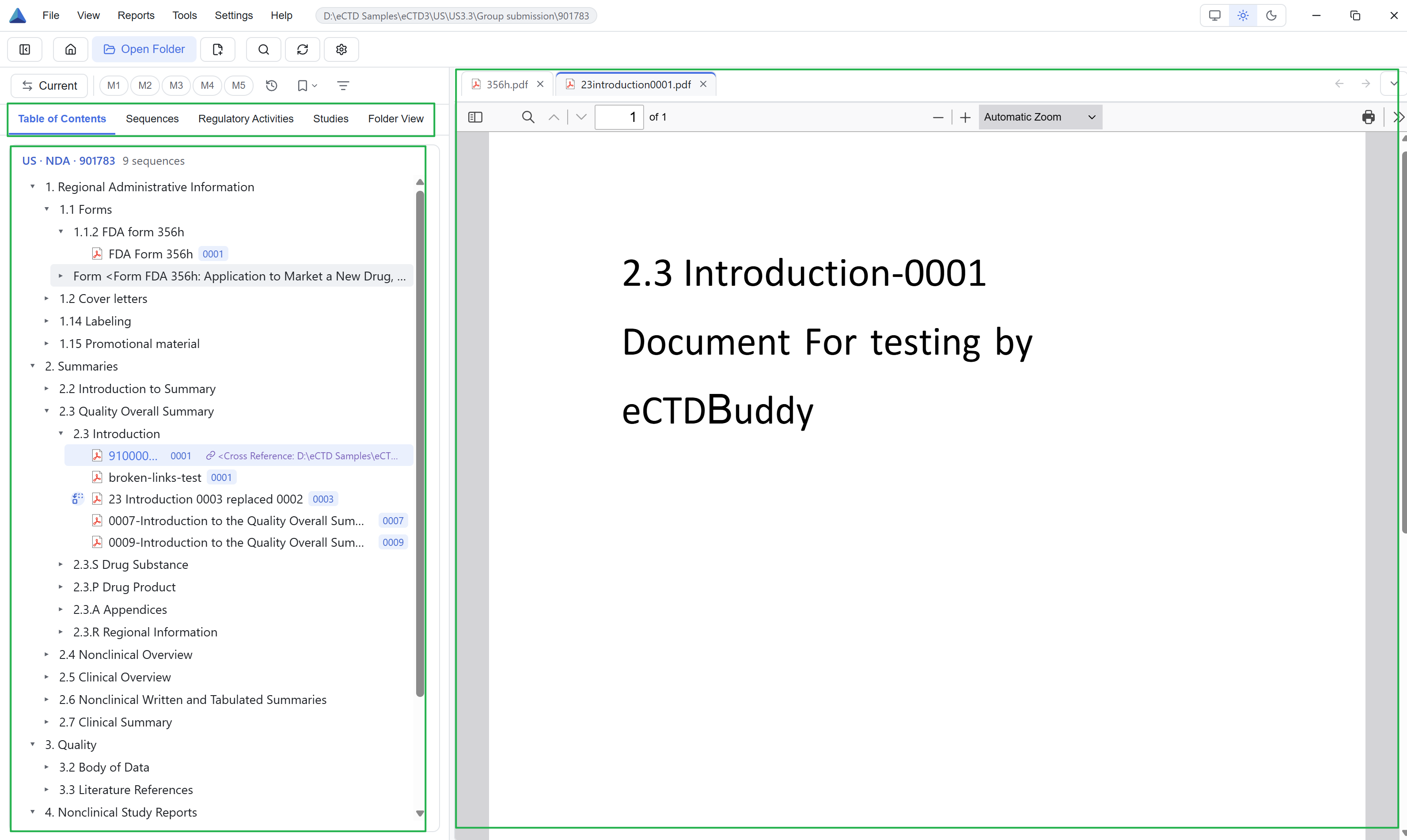
When you receive an eCTD application, the usual questions are which documents it contains, which version is effective at a given point, and what a document says. Submission packages are arranged by sequence number, so a file manager makes those questions hard to answer. The Viewer reads the backbone files, rebuilds the section structure from the regional specification, and puts the result in an expandable tree.
Who uses it
| Role | Typical work |
|---|---|
| Regulatory affairs staff | Check what a submission contained, track replacements across sequences |
| Reviewers | Read material by section or study, open the source document |
| Submission project managers | See all submission batches at a glance, export lists for the team |
| Regional compliance staff | Confirm region and version, find region-specific material |
What you can do
After you open an application folder, the Viewer detects its region and eCTD version. See 02 Quick start.
Five views cover the section tree, sequences, regulatory activities, studies and disk folders. See 04 The five views. eCTD v3 and v4 sequences can coexist in one workspace, each shown under its own specification. See 13 Regions, versions & licensing.
Preview covers PDF, Word, spreadsheets, images, XML and HTML. See 06 Document preview. Search covers structure and metadata, bookmarks add coloured tags to documents, and reports export lists. See 07 Search, 08 Bookmarks and 10 Reports & export.
What it does not do
Product boundaries
Use other tools to build, package or submit dossiers; edit submission files or write Module 1 content; store files in the cloud, collaborate or share annotations; search PDF body text; or replace official validation tools and make compliance judgements.
Environment and data
| Item | Detail |
|---|---|
| How it runs | A desktop application on your machine. Browsing entitled content works offline. |
| Interface languages | Chinese and English. Switch at runtime without restarting. |
| Application location | An eCTD application folder on a local disk or an accessible network or mapped directory. UNC paths, mapped drives and local folders from cloud sync clients are supported. |
| Data location | The Viewer parses and renders submission files on your machine and never uploads or modifies them. Parsed results, settings, bookmarks and logs stay local. |
If you meet an unfamiliar term, see the glossary in 14 FAQ & scope. Start with 02 Quick start if this is your first session; buttons and shortcuts are collected in 03 Interface & shortcuts.