Lifecycle & tree display
The Viewer derives each document's lifecycle state from the declarations in the submission sequences and shows it in the tree. TOC, Regulatory Activity and Studies share one lifecycle tree. Sequence and Folder do not take part in the switch.
Current and Cumulative
| Mode | Tree contents | Use it to |
|---|---|---|
| Current | Hides replaced, deleted and delete-marker rows, leaving only effective documents | Confirm which version is effective now |
| Cumulative | The full nested lifecycle tree. The effective document is the parent, with replaced or appended historical versions listed below it | Trace which version replaced which, and see every version of a document |
Press Ctrl/⌘+U, or use the View menu and the segmented control in the pane. Both stay in sync.
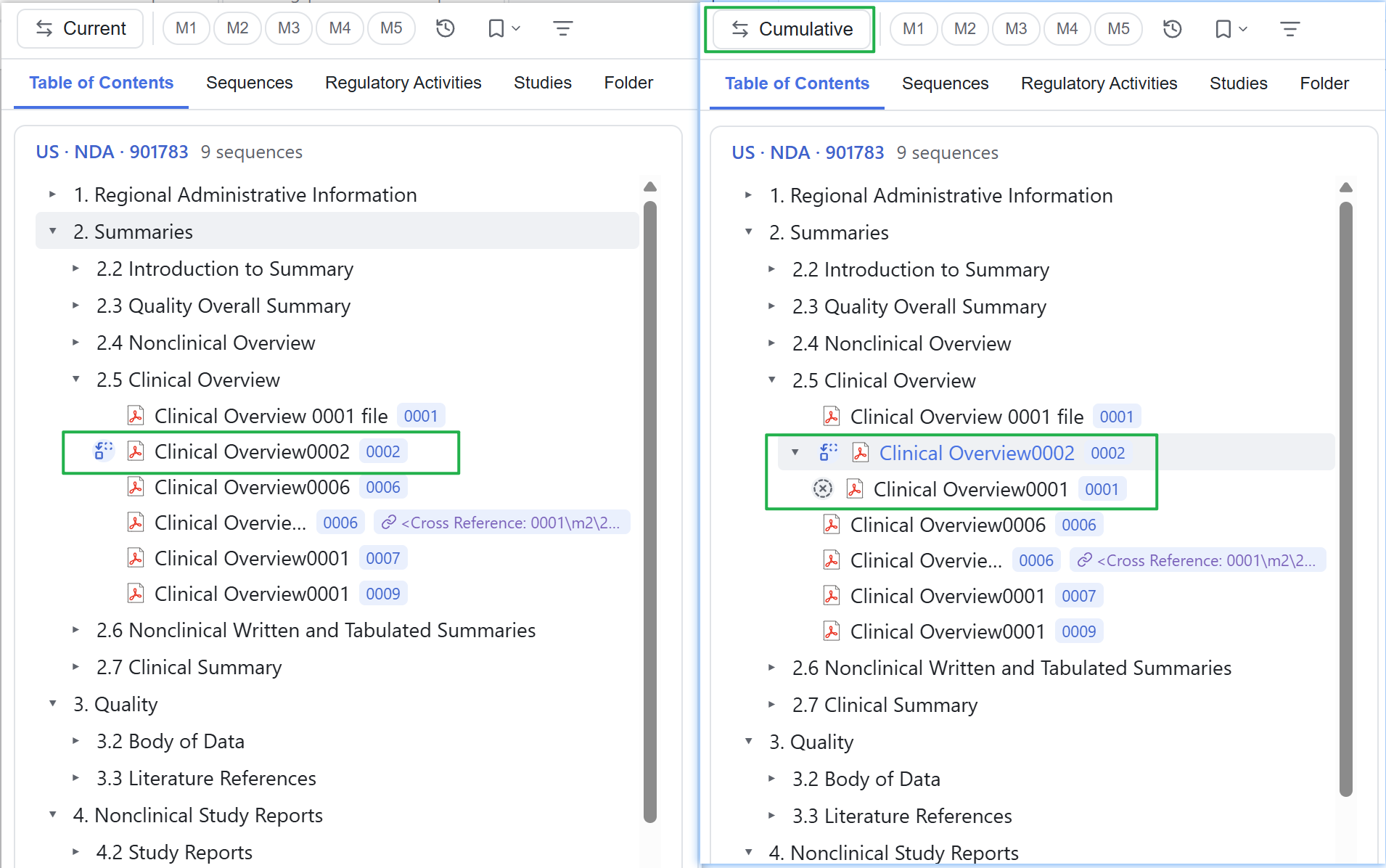
Leading status icons
The leading icon shows where a document sits on its status line. Effective documents that need no extra hint carry no marker.
| Marker | Meaning |
|---|---|
| None | The document is currently effective |
| New | The document first appears in this sequence |
| Append chain / append member | A document added by append, and the other versions on the same append chain |
| Replaced | A newer version has taken the place of this row |
| Deleted / delete marker | The document was declared deleted, or the row itself is a delete marker |
Click the leading icon, or right-click and choose Review lifecycle, to see every version on that status line and their order. You can turn the icons off under Settings → Content & views. See 11 Tools & settings.
Repeating sections and title suffixes
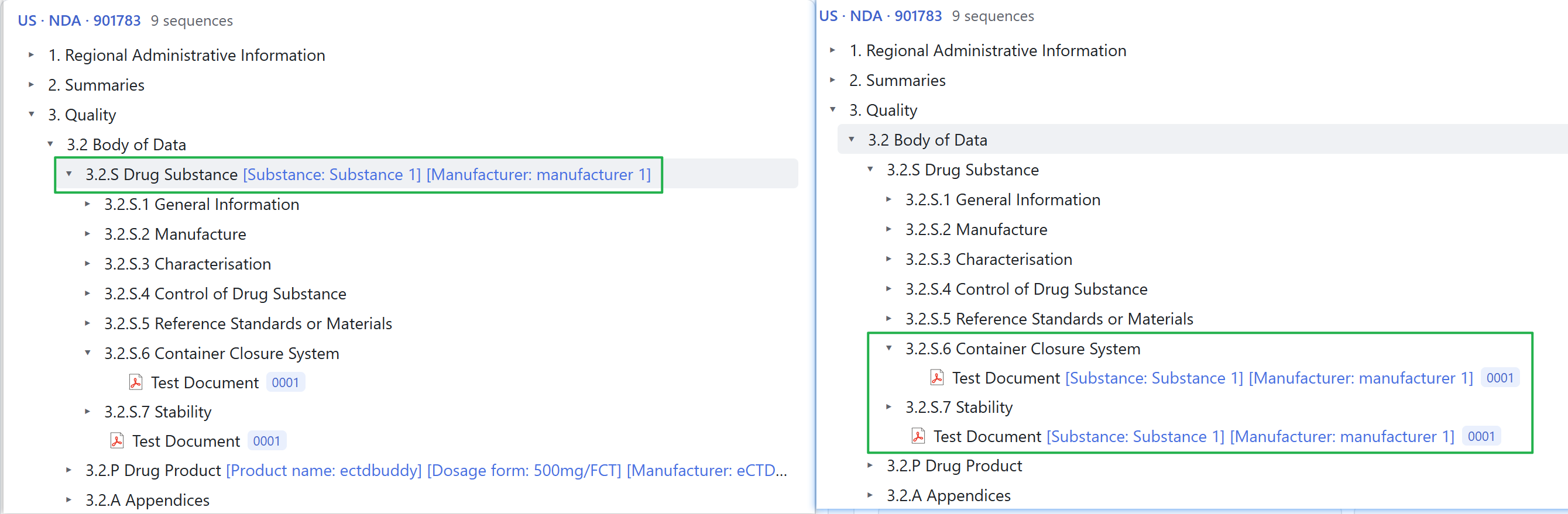
eCTD v3 allows the same section element to repeat under a parent, with specification-declared attributes telling the instances apart. The Viewer offers two display modes under Settings → Content & views.
| Mode | Tree contents | Use it to |
|---|---|---|
| Merged, default | Merges repeated sections and appends the attribute value to document titles as [Label: value] | Keep the list compact for daily browsing |
| Split | Turns instances into sibling nodes at each level, each with a full copy of its subtree and a <value> suffix for that level | Compare instances one by one |
The Viewer maps officially coded attribute values to readable labels. The Sequence view always keeps the original backbone index.xml and is not affected by this setting.
Empty sections and property panels
The Viewer hides sections that the specification defines but this submission leaves empty. Turn them on in settings to find structural gaps. Right-click a document or section to open its property panel with metadata, section attributes and raw XML read on demand.
Changing the repeating-section mode or the empty-section toggle recomputes the tree immediately. It does not re-parse files.
How to read the states
Lifecycle state is a display result derived from sequence declarations. It helps you browse, but it is not a compliance verdict. If sequences are missing or out of order, the Viewer still opens the application and shows what it can.
Opening documents is covered in 06 Document preview; checking by study or submission batch is covered in 04 The five views.