Filters
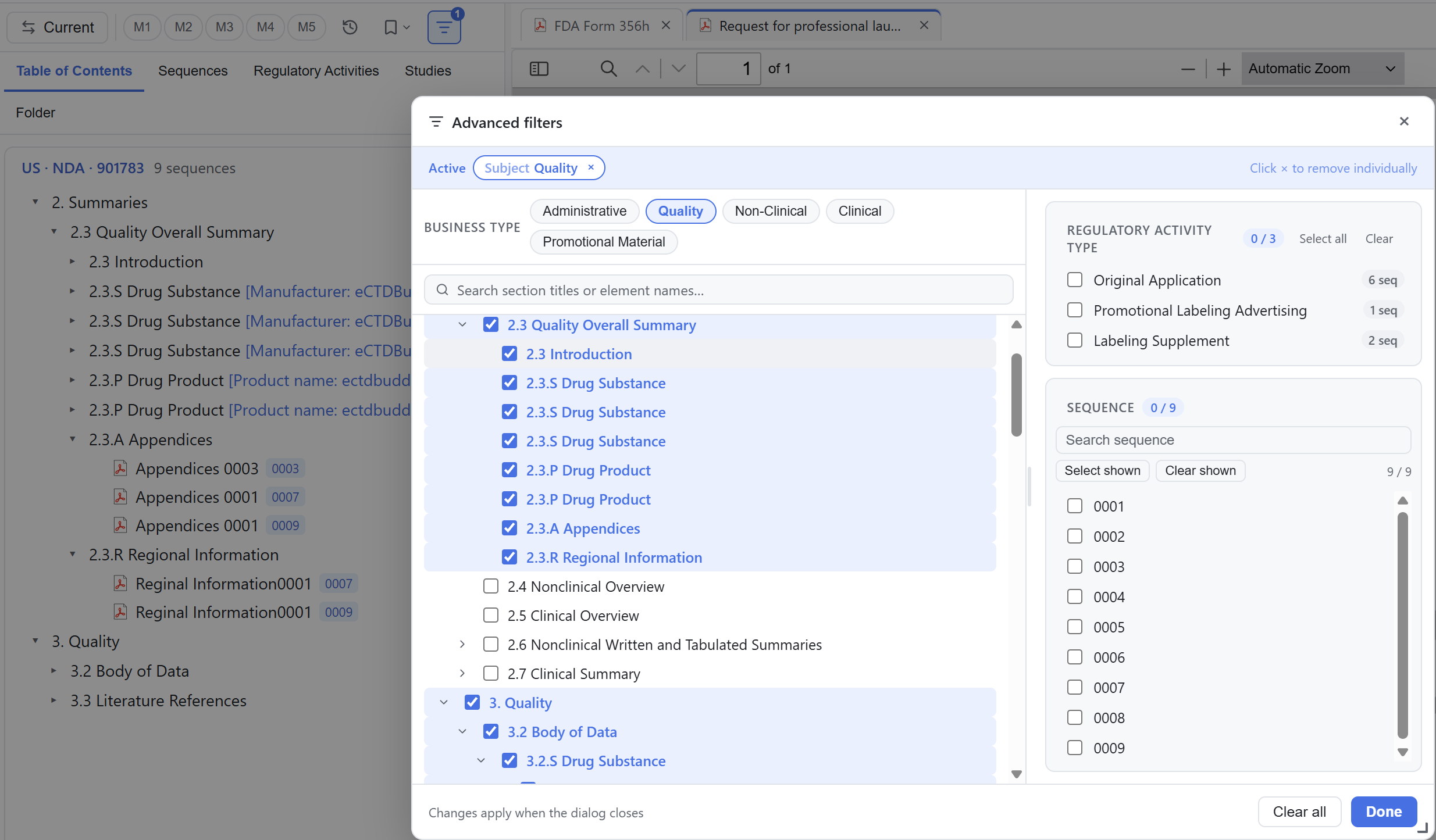
Filters narrow search results or the navigation tree, and you can restore the full view at any time. The Viewer has no separate filter dialog. Three entry points act on search results, the tree and the search scope.
Narrowing search results
With the search panel open, you can narrow the results step by step.
| Narrow to | Condition |
|---|---|
| Sections only or documents only | Switch scope to All / Sections only / Documents only |
| One module or one sequence | Filter by module or sequence |
| Documents in one effective state | Filter by lifecycle state |
| Documents with a given mark | Filter by bookmark |
| Finer conditions | Advanced filters by position, regulatory activity type and sequence |
Filtering the tree by bookmark tag
When you filter the current view's tree by tag, the Viewer hides non-matching nodes and keeps the hierarchy. A parent section still appears when a matching document sits below it, even if the section itself has no tag, so documents keep their place in the structure. A common workflow is to mark the documents you need to review with the same tag, then filter the tree to that tag and open them one by one.
Limiting search to a subtree
When you already know roughly which section holds the target, right-click that node and choose Search here. The search root becomes that subtree, so results from other sections no longer appear. Both section nodes and search results support this command, and search results also offer expand all and collapse all.
Reviewing a batch of documents
Start with 07 Search to find relevant documents by keyword and jump to each row in the tree. Then use 08 Bookmarks to tag the documents you need to review with For Review. Finally filter the tree by that tag and open the remaining documents one by one. When you hand the work over, export the tag assignment list from the bookmarks sidebar.
To open a document from the filtered tree, see 06 Document preview. For list exports, see 10 Reports & export. Missing tabs come from view visibility settings or regional rules; see 04 The five views.