Reports & export
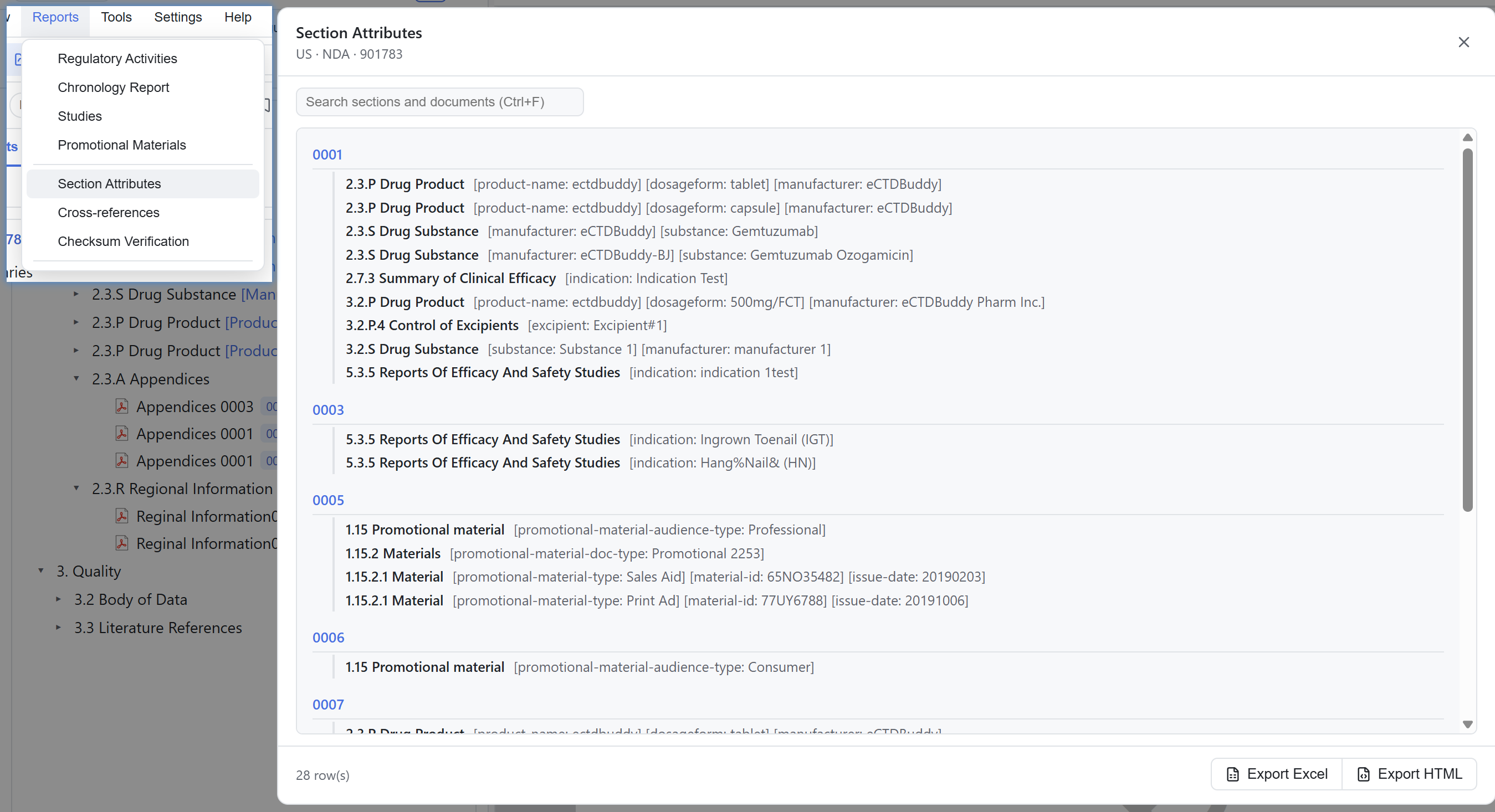
The Reports menu offers seven read-only reports, shown automatically by region and eCTD version. All reports share one dialog with a grid layout and a sequence-grouped outline layout, plus in-dialog search and export. If a menu item is unavailable, the interface states the reason in place.
Open the Reports menu and choose a report. In the dialog you can switch between grid and outline, find rows with in-dialog search, and filter and sort as needed. Click export and choose a location in the system save dialog. Whether the result opens automatically afterwards is set under Settings → Export. See 11 Tools & settings.
The seven reports
| Report | Contents | Availability |
|---|---|---|
| Regulatory Activities | Submission ID, activity type, submission units, submission date | Hidden for JP non-v4 |
| Chronology | Per-sequence description, submission type, company name and date, newest first | All regions |
| Studies | Study type / ID / title, indication, species, route of administration, duration, control type | Hidden for JP non-v4 |
| Promotional Materials | Title, audience type, document type, material type, material ID, issue date | US only |
| Section Attributes | Attributes by sequence and section, with an outline layout | All regions |
| Cross References | File, path, reference count, sequence, Leaf ID, title | All regions |
| Checksum Verification | Declared versus calculated MD5, result and notes, line by line | All regions |
One regulatory activity only
Right-click a group in the Regulatory Activity view to generate that group's report directly, without exporting everything and filtering afterwards.
Export contents
| Item | Detail |
|---|---|
| Formats | Excel .xlsx or HTML; outline reports export as an HTML outline |
| Contents | The dialog's current filtered and sorted snapshot. With no filters applied, all columns and rows are exported |
| Flow | A system save dialog asks for the destination, followed by a success message containing the file name |
| Auto open | Set under Settings → Export |
Checksum results
The Checksum Verification report gives one result per row.
| Result | Meaning |
|---|---|
| Match | The declared and calculated values agree |
| Mismatch | An explicit difference was found |
| Unknown | A parse failure or a digest that could not be calculated, so no comparison was possible |
| NotFound | A file listed in the declaration is missing from disk; the interface shows "Not found" |
Reading the results
The Viewer records a parse failure or a checksum it cannot calculate as Unknown, and a declared file missing from disk as NotFound. It never reports "cannot be calculated" as a mismatch; Mismatch requires an explicit difference. If you cancel a run, the interface labels the displayed result as partial.
Other export channels
The bookmarks sidebar exports a tag assignment list. See 08 Bookmarks. Tools → Export backbone packages the current application's backbone XML (sequence index.xml, v3 regional Module 1 backbone, v4 submissionunit.xml) into a ZIP for offline review or handover.
Why a report or menu item is unavailable is covered in 14 FAQ & scope.