Bookmarks
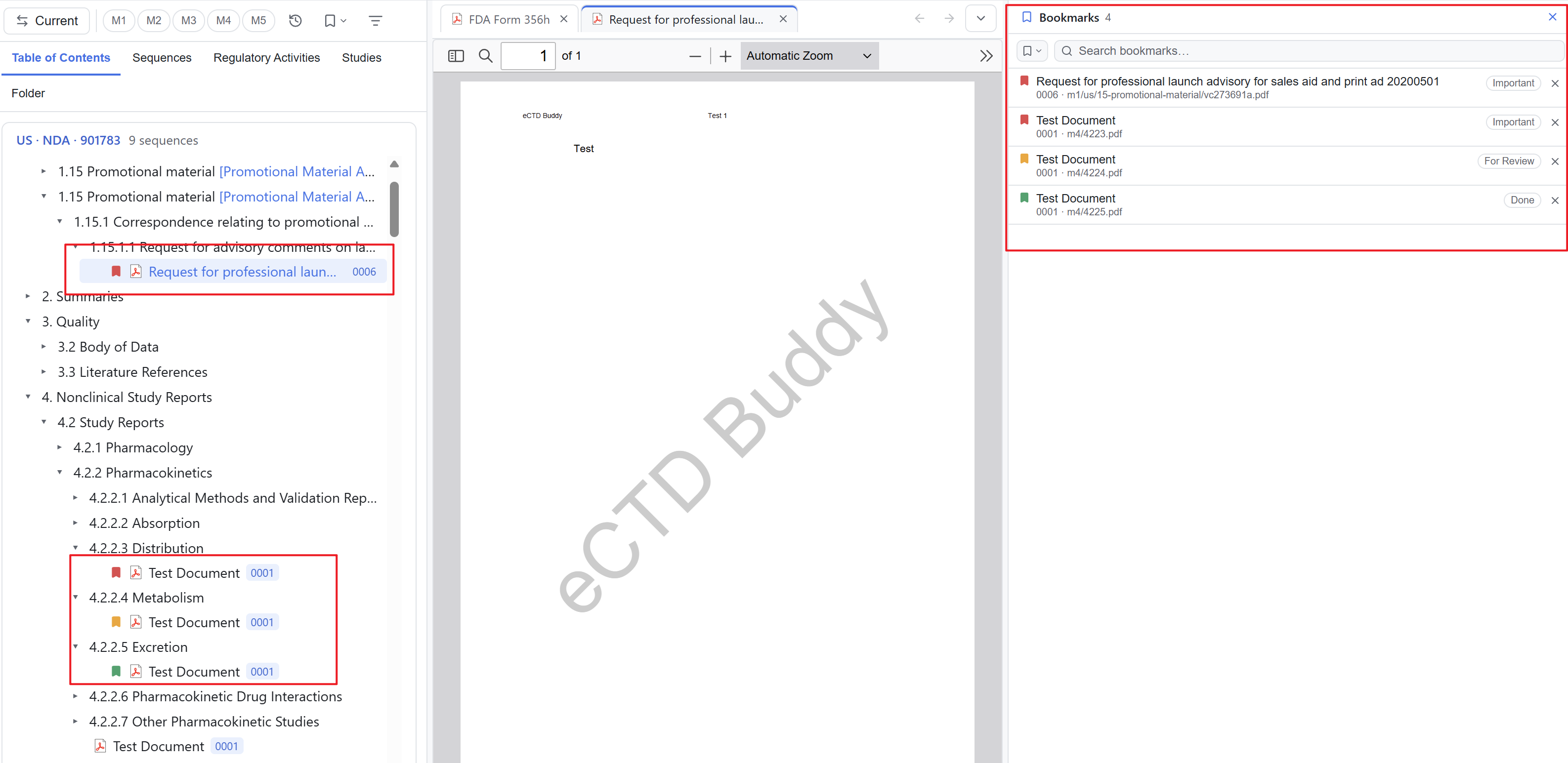
Bookmarks are manual marks on tree nodes. Use them to flag documents for review, documents you have questions about, or documents you have read. The Viewer stores assignments on your machine with the application. Tag definitions and assignment scope are in the table below; the settings are in 11 Tools & settings.
Three tags come predefined: Important / For Review / Done. You can change their names, colours and descriptions, and you can create your own. Definitions are shared globally.
Assigning and aggregating
Find the document leaf in the tree, right-click it and pick a tag. The row then shows that tag's colour. One document holds exactly one tag. Section nodes need no tag of their own: they show the union of tags on their descendant documents, so you can see which sections contain marked documents without expanding them.
Where marks appear
| Location | Contents |
|---|---|
| Document row | The colour of its assigned tag |
| Section node | The union of tags on descendant documents |
| Bookmarks sidebar | All tags and their assignments, toggled with View → Bookmarks panel; drag to resize, double-click to reset |
The sidebar can export and clear its contents. Use the export when you need a list of marks. See 10 Reports & export.
Rules
| Item | Rule |
|---|---|
| Tag definitions | Shared globally; names, colours and descriptions can be changed, and new tags can be created |
| Assignment scope | Isolated per application and stored locally; assignments do not carry over to another application |
| Deleting a tag | Clears all its assignments; the Viewer asks for confirmation first |
| Effect | A manual annotation. Tags do not feed into reports and do not affect lifecycle evaluation |
To filter the tree by tag, see 09 Filters. To find a target across the whole application, see 07 Search.