Search
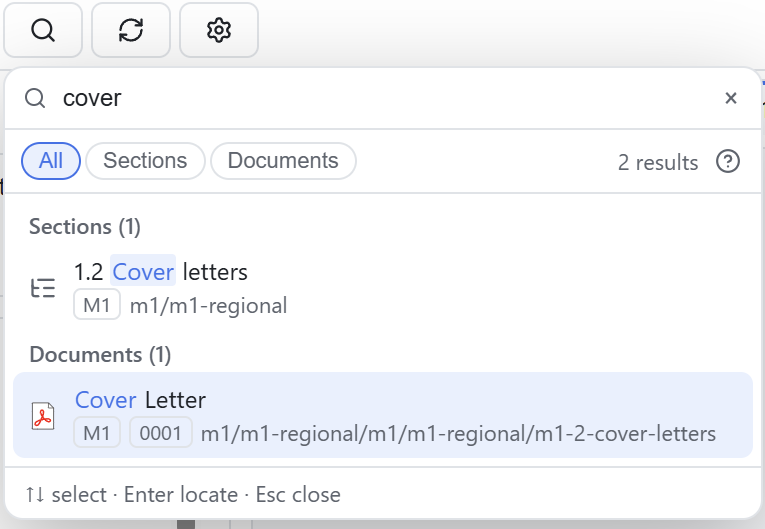
Search locates a target in the open application by structure or metadata and scrolls the tree to the matching row. The index covers the TOC, Sequence and Regulatory Activity trees with 18 field types.
The panel
Click the toolbar search button or press Ctrl/⌘+F (Ctrl/⌘+P does the same) to open a floating results panel. You can drag it out of the way of the tree. Click outside it or press Esc to close it. The panel shows up to 200 results.
Searchable fields
| Group | Fields |
|---|---|
| The document | Title, file name, path, extension |
| Structure | Section path, module, section attribute name, value, label |
| Submission information | Sequence number, operation, form |
| State and marking | Lifecycle state, bookmark tag |
| Study | Study, site |
| Raw content | XML source |
A keyword can be part of a file name, a section name, a sequence number or an attribute value. Clicking a result expands its ancestor branches, scrolls to the row and highlights it, and you can open the document in the preview pane. The reverse works too: activating a preview tab locates its node in the tree. If the result list is long, narrow it with 09 Filters.
Search boundaries
Search coverage
Search covers structure and metadata only, not PDF body text. To find a word in the body, use the in-page find of the PDF reader. The global index covers the TOC, Sequence and Regulatory Activity trees. The Studies view has its own search box and is not part of the global index. The Viewer keeps no search history and cannot save search conditions.
To mark a document you found, see 08 Bookmarks. To open it, see 06 Document preview. Common questions are in 14 FAQ & scope.