Regions, versions & licensing
When you open an application, the Viewer detects its region and specification version and applies the matching rules. You do not choose a region by hand. eCTD v3 (DTD / XML) and v4 (RPS) sequences can coexist in one workspace, each shown under its own specification.
Supported regions and versions
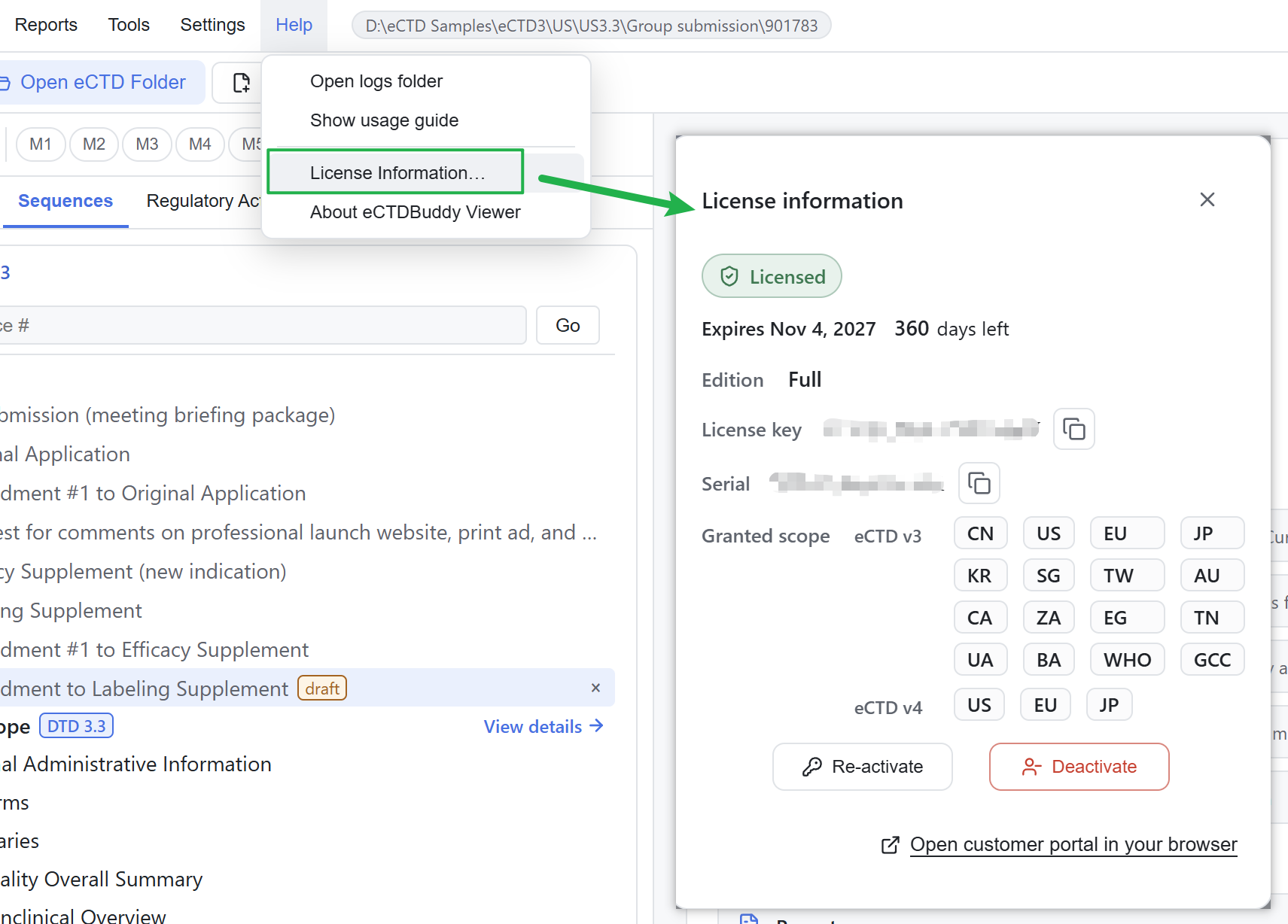
The Viewer currently supports 20 regional modules for eCTD v3.x, and eCTD v4 specifications for US, EU and JP.
Later releases will add support for newly published eCTD specification versions.
A tab or report is missing
This usually comes from regional and version rules or from display settings, not from a fault. View visibility is in 04 The five views; report availability is in 10 Reports & export.
Licensing and activation
| Item | Detail |
|---|---|
| Activation | Online (License Key + Serial) or offline (import a .lic credential plus the bound email address) |
| Binding | Bound to the device and the OS login user |
| Scope | Granted per product generation × region and enforced at application level. If an application contains a sequence outside the entitlement, the Viewer refuses to open the whole application |
| Expiry | Access locks until reactivation |
| Startup check | The licence is checked locally on each startup; browsing entitled content needs no continuous connection |
Status, expiry and entitled regions are under Help → License Information. The first activation is described in 02 Quick start.
Where data is stored
- The Viewer parses and renders submission files on your machine. It does not upload or modify them, and the interface offers read-only operations only.
- Activation transmits only licence identifiers, product version and a device / user fingerprint, never submission content.
- Logs stay on your machine and record diagnostic information, not submission content. Open the folder with Help → Open logs folder.
- The parse cache, bookmarks and settings are stored locally. Clearing the parse cache does not delete bookmarks, settings or Recent entries.
Error messages
Clock rollback, a damaged credential file, a binding mismatch or an unavailable network produce plain-language messages in the interface. The Viewer keeps the raw error text in the log for troubleshooting.
If an application will not open, see 14 FAQ & scope.